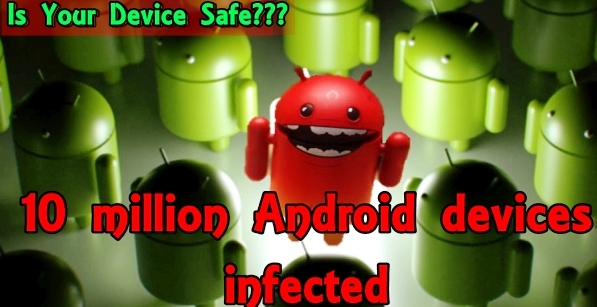
The latest Android malware applicationstargeting mobile banking in Europe and the United States. The latest Android malware bugs targeted the 94 different applications of mobile banking and payment apps including American Express, PayPal and Santander, according to the reports of different media.
Fortinet, a company which produces and markets cyber security software was first to discover the virus that represents as a Flash Player application. The malware in question gains the full administrative rights of an Android phone when you press the activation button of the android malware during installation. The malware then runs in the background and waits until the owner opens the applications of mobile banking and payment. The bug affects Android smartphones in Europe and the United States. According to media reports, the malware also targets social media applications such as Facebook, LinkedIn, Twitter and Snapchat. The Trojan can also intercept SMS messages.
HummingBad malware: Chinese malware infected 10 million Android devices. Experts estimate that more than 10 million Android devices were infected worldwide by a malicious software of a Chinese company. Cyber security specialist Check Point, the malicious program called HummingBad followed since its discovery in February and there was an increase in the number of infected devices across the world.
In a new report, Check Point said the malware a multi-stage attack chain and gets infected by two main components, the first malware infection take place when people visited certain websites with their android phones. "The first component attempts to gain root access to an android device with a rootkit [software] that exploits multiple vulnerabilities. If successful, the attacker gets full access to a device", according to the reports. "If the root fails, a second component used to upgrade from false notification system, fooling users to gain full system level permission by the HummingBad malware. According to Check Point, a mobile otherwise legitimate advertising agency based in Beijing Yingmobis responsible for malware. "Yingmob has several development teams for legitimate displaying and monitoring platforms. The team is responsible for the development of this malware, consisting of four groups with a total of 25 employees", according to the report. The analysis of cyber security company Yingmob Details used malicious software to generate advertising revenue through fraudulently forced download applications, and click ads. The company is earning as much as $A402,000 per month with the help of this android malware. "Yingmob can be the first group to which exposed of spreading such type of android malware, but certainly not the last", according to the report. The good news is that it is probably less than 100,000 android devices in Australia that are infected with HummingBad malware.
How to know if you have infected with HummingBad malware?
Fortunately, the malware is now known to cyber expert and can be protected with the help of a good phone protection software that easily recognizes the malware infection. Other options include checkpoints app ZoneAlarm, 360 Security AntivirusBoost, Avira Antivirus Security and a variety of other options. Scanning with antivirus software quickly detects the malware and notify the user of bad pieces of apps in your device.
What to do if you have infected with HummingBad malware?
Although, malware has less than 100,000 infected android devices in Australia but it should be removed soon after infection. Fortunately, there are some methods to achieve this. The first option is a bit difficult task of finding the source of malware and remove that manually from the device. The other option is a little awkward by factory resetting the phone.The factory reset option is the best choice to remore malware and viruses from android devices for those who don't know much about android os or non-tech person.
Hacker tantrums here is how you can protect yourself. 2016 proves to be the year of the data breach. Hackers have been particularly active and this month we heard about two major data breaches: offered millions of Gmail ID and password for sale, and there is a suspect data leak of the website IRCTC which is used by tens of millions of Indians.
With the hackers on the street, how can you be sure? If you think you want to hack my account and steal my data, I could not be more wrong. According to a recent report, the hackers stole over 272 million e-mail accounts and passwords and were ready to negotiate with them, waiting, not for money, but only for a good name in hacker forums. All discrete user could be a target. You too. Unfortunately, the same password is used by the most people for different accounts, for example, the same password for Gmail, Facebook, Twitter, or online banking. Even a simple brute force attack can store thousands of e-mails credentials and more professional force can do more harm. So what can you do? Here are some simple things you can do to stay safe from hackers.
1. Do not trust ad-on
A website can say that an add-on is necessary to perform something or other on the page. Do not trust them. Plug-ins are applications that the browser perform specific functions to support can be installed. For example, a plugin will allow IDM to download a video. All add-ons are not trustworthy. Even your browser will slow down and thus the system. Also, add-ons can insert malware, cookies on your system easily. Malicious software can keep track of all actions on the computer, online and offline, and steal data. Always install add-ons of trusted developers like Google, Adobe etc. So the next time a website that asks you to install an add-on to your Firefox or on Chrome browser, simply close the tab. There is no surefire way to deny access to hackers. But even a small thing can make a big difference, the Internet is dark and full of hackers.
2. Do not rely on pop-ups
All pop-ups are advertisements, and all try to draw your attention. Simply, all sites work with advertisers. And the exchange of user information with advertisers through the web Digital Advertising Alliance marks. And it is not illegal. But then not all advertisers are legitimate. By Clicking on a pop-up shown on the page, lets bots, malware, trojans installed on your system. None of these things are good for you.
3. Install Ad Blocker
No popups, no advertising anywhere, even on YouTube. It does not sound like a dream? You can have it. Just add a simple browser extension Adblock Plus. Adblocker can remove all the ads, pop-ups, and malicious scripts even from intrusive websites. There are websites that ask you to disable ad blocker, as the main display is essentially money generate for websites, and they are not asking to make this responsibility from you. You can disable the ad blockers for trusted sites. However, it would be better to use your own criteria for the site you need to turn it off.
4. Turn off location
The latest version ofMicrosoft Windows 10hasadded location tab similar to Android and IOS. In earlier versions of Windows had this default. The feature is useful for sites that require location-based information such as Zomato. Some suspicious websites, ask to share especially your location. Be careful here.
5. Be aware of Spam
Spam also operate similarly to online ads. You receive spam messages based on your surfing habits, Google search etc. This is also legal, as described above. But some spams emails contains links in them. Something like "XYZ wants to beyour friend on Facebook. Click here." This is probably a phishing link, that is, as the real Facebook page will appear but easy to steal your username and password for the hacker. It is proposed that a spam should be deleted immediately. And you put the filter in your email for any such type of mail they should filter directly in the spam box.
6. Next change passwords regularly
This is the most important. Observe the following steps: 1. If you use a password for multiple accounts, stop that habit. 2. Makea routine to change passwords every three to six months. 3. Create passwords that are written in lower case, in capital letters, numbers and special characters. 4. Stop using easy to guess passwords and passwords based on your birth or your partner or everything about your life, favorite food, or film. Following these steps will secure you from hackers on the Internet. There is no surefire way to deny access to hackers. But even a small thing can make a huge as the internet is dark and full of hackers.
Huge Alcatel xess Tablet / AIO is going to launch this month in the United States at a price of US $499 and can be "the perfect accessory for the kitchen." A tablet made especially for the kitchen may seem a bit exaggerated, but Alcatel xess Tablet is going to change our kitchen. However, it is not just a tablet. It's a huge tablet. In a huge size of the 17.3-inch screen, the Xess is nearly five inches larger than 12.9 inch Apple iPad Pro.
The nearest competitor of Xess is Samsung Galaxy View and has an even larger 18.4-inch screen. Unlike the Samsung device with a handle on the back so that it can be moved, but the oversized tablet of Alcatel lacks this feature and is meant to stay in the kitchen. Labeled as the "perfect 17-inch kitchen accessory". At this size, Xess blurs the line between a tablet and All-in-one PC (AIO). Xess tablet PC has a full HD display with a resolution of 1,920 x 1,080, a 64-bit MediaTek MT8783T eight cores processor running at 1.5GHz with 3 GB RAM, 32 GB of memory which can be expanded with a microSD card and two JBL speakers of 3-watt. It will also include a remote camera that can be placed anywhere in a house and can be controlled by Xess tablet. Xess is powered with a huge 10,000mAh battery. However, you can also connect it to an electric socket in the kitchen. "We as a company committed to expand the scope of our use of the technology and how it can bring a better experience and value to our customer's lives, and with Xess tablet PC, we provide a major hub kitchen, which allows more users connected with each other, content they want and content they need, "said Steve Cistulli, President and CEO of Alcatel North America. The price $499 is a bit hefty for the big tablet PC, but Alcatel is convinced that there is indeed a market out there for Xess tablet PC. Xess will be available for sale on 22 April.
Details of banking Trojan android virus Android.ZBot that steals credit card details throughWeb injections. Dr.Web detects a new mobile banking Trojan targeting Android users, a carefully placed with false payment forms to trick users into providing sensitive financial details. Security experts have found the Trojan virus (Android.ZBot) in February for the first time, and so far seems only active in Russia, after infecting around 52,000 units in 20 different servers of C&C.
Dr.Web employees entitled to access to three of these botnets, where they had found 140-2300 affected android devices. Only 15 of the 20 botnets were at the time of the release of Dr.Web announcement are still active. Infections occur through a fake Google Play Store application. Infection, as occurs in most cases, if users are careless enough to install third-party applications from unofficial Android app stores. For Android.ZBot, the offender will be disguised as official Google Play Store. If this application is installed, it immediately asks for administrator privileges. If the user recognizes to refuse the false root privileges and the Trojan Horse, in a desperate attempt, shows a form of false payment on the user's screen, trying one last time before the uninstalled trick. A desperate Hail Mary, but very inefficient. On the other hand, if it is allowed to install, the Trojan horse hides itself from the home screen, ensures that every time the machine starts it begins with the collection of personal data of users. Key Features of Android.ZBot allows you to see the use of smartphone and place the payment masterfully in other applications.
Trojan only targets the Russian banking applications, for now
These methods mimic the native user interface of payment of the application and introduced stripped with the WebView component without browser UI. The Trojan do not works for all applications running on the mobile phone, but only for a selection list, the constantly updated and calls a C&C server, most of them are banking or financial applications related mobilized exclusively in Russia. "Although this is a classic phishing attack, the way it is done in this particular case is very unique," says Dr.Web team. "Even virus writers often call these malicious features such as injections Web, but is not the case, due to restrictions for Android, Trojans can not injecting external HTML code as one of the attacked dialog applications." Dr.Web researchers also said that pressing the Back button, if the trogan payment form pops out then it closes itself, an action to create the illusion that this form is actually a part of the application itself and next time people provide personal credentials or payment details and get robbed.
Gunpowder Android malware: A new android version of malware targets non-residents of China people and infects their Android phones. Researchers have discovered a new family of malware for Android that successfully evaded all antivirus products on the VirusTotal Web service. Palo Alto Networks named this family of malware 'Gunpowder' based on the principal name of the malicious android software, and threat intelligence team of Palo Alto Networks Unit 42 found 49 unique samples through three different variants. This finding highlights the fine line between "adware" which is not traditionally prevented by antivirus and malware products, with its ability to cause harm.
Gunpowder samples have been uploaded to VirusTotal since November 2014, with all antivirus engines reported this malware as "benign" or "adware", that is verdicts existing controls would not prevent the installation of the malware in android. During the investigation of the sample, the team noted that the unit 42, although it contained many features of adware, and actually incorporates a popular adware inside her library, also a number of openly malicious activities were discovered, researchers believe characterizes this family as malware, such as collecting sensitive information of users; spread via SMS messages; push potentially fraudulent advertising; and the ability to run additional payloads. Gunpowder targets Android users in at least 13 different countries, including India. An interesting observation found by Gunpoder reverse engineering is that this new Android family only spreads among users outside China. The Gunpowder android malware includes legitimate advertising libraries within samples. These ad libraries are easily detected and may also include aggressive behaviors. The malware successfully used these advertising libraries to hide malicious behavior detected by antivirus. While antivirus software can flag Gunpowder as adware, not flag as being overtly malicious. Users who have executed Gunpowder are shown a notice that include ad library and the advertising is legitimate. "We believe that the notice was intentionally added in order to use the library as legitimate scapegoat", the researchers said. Gunpowder embed malicious code samples in popular Nintendo Entertainment System (NES) emulator games, which is based on a framework of open source game Palo Alto Networks has seen a trend of malware authors repackaging Android open source applications with malicious code. Gonpoder makes use of this technique, which makes it difficult to distinguish malicious code to perform static analysis. From the observation it was found that this malicious Samples support online payments, including PayPal, Moneybookers, Xsolla and CYPay. Also Gunpowder steals your browser history, bookmarksand and other private information of the victims. In addition, Gunpowder collect information about all apps, android packages installed on the device of the victim. Also it provides capabilities for executing payloads. Dynamic code for loading and executing the payload after decoding reside in "com.fcp.a" and components "com.fx.a". So far, Palo Alto Networks has observed 49 unique samples of Gunpowder family; and he found three different groups of variants within this family. In particular, variants of group 1 (12 samples) can spread via SMS and attract users to make some payments. Variants in group 2 (16 samples) can only attract users to make a payment, and variants of group 3 (21 samples) do not contain the spread of SMS or attract users to make payments. Group 3 was found to be the newest malware variants of Gunpowder.
Samsung security flaws leave 600 million Android users vulnerable to simple keyboard hack. New research indicates NowSecure a critical flaw in Samsung phones left an estimated 600 million vulnerable devices hacks by simple man-in-middle-style-hack. This is not the first time that poor security practices of Samsung has been in the news this year, but this mobile dwarfs default encryption smart television themes we cover this spring. The problem, however, has the same root cause - not existing encryption practices and poor security measures.
In this case, Samsung sent his own version of SwiftKey, an Android keyboard. SwiftKey developers have stated that the error is not present in their version of the code, which means Samsung is responsible for the creation and distribution of the failure. SwiftKey update process runs invisibly in the background, but it runs on the level of user permissions system. That's just one step away from root access and permission process to bypass security checks and safeguards that might otherwise prevent operation occurs. There is little in the way of checking files or confirmation - the update process performs a check of hash in the ZIP file you download, but researchers have already discovered how to bypass it. Because Samsung does all this in plain text, it is trivially easy for anyone in the same Wi-Fi network for a classic-man-in-the-middle attack and serve a SHA1 hash infected with identical file. This can be used to monitor the camera, microphone, read messages, and install applications, all without the user being aware of it. SwiftKey because you can not remove, any owner of Galaxy S5 or S6 is potentially affected. Do not use the keyboard does not help, either - you can still check for updates in the background and will be vulnerable whenever it does. The Android ecosystem is fundamentally inadquate A few months ago, we've covered Google's decision to stop patching previous versions of Android, although how they continue to sell devices that use these versions. One of the most common defenses of the company is that Google should not bother to write patches for its own operating system, as it does not control the distribution platform and can not force computer manufacturers to really roll out an update. Samsung is now trapped in a similar boat. By all accounts, the company actually fixed the error SwiftKey January, but no single company has yet included the review. That means that everyone with one of these devices is now vulnerable to attack MitM quite trivial. While Samsung deserves a significant part of the blame for not checking their own security measures, it is not the only institution to blame. What we see here is the end result that no one takes seriously the security at any particular level. This lack of security best practices is one reason why the Internet of Things could stop off. In a world where devices are very easy to manipulate or cut, the benefits of the "dumb" products could quickly overwhelm the bells and whistles manufacturers try to paste in your various "smart" hardware. As things stand, the devices ship with security implementations incredibly broken, and the only response from wireless carriers is sit on their collective thumbs. If you own a Samsung Galaxy device, as of today, there is absolutely nothing you can do to close this security hole. Rooting the device to remove the keyboard or cyanogen installation could take care of the problem, but below that, everyone is stuck with it.
How to remove a virus from Android: Remove a virus from your Android phone or tablet. Android viruses are very rare, but they also exist and can infect your smartphone or tablet PC. But don't worry here's a very simple method to remove a virus from Android, if you think your phone or tablet is infected with a virus.
If you believe that your Android phone or tablet is infected with a virus then the good news is that it is easy to remove. Here's how to remove a virus from Android. You can also checkout the best antivirus for Android in the GooglePlay store. First, it is worth noting that it is unlikely that your Android phone or tablet has a virus. What is more likely to see is an ad that wants to convince that Android is infected and you need to download an application, or an emerging dodgy, or maybe the device is simply misbehaving. But there are viruses for Android. If you are sure that your device has one, here's how to remove it. All Android virus is delivered through the applications installed on the device, so if your phone or tablet does not have a virus, the best way to prevent getting one is never install software outside the application of Google Play Store . Open the Settings menu, locate the security option, then ensure the option allow installation of applications from unknown sources is deactivated. If you are determined to install an application from outside of Google Play store, do your research. Check your permissions (VCR does really need to see your contacts?), Search online for reviews and have a good look at the developer's site to see what else offers. You can also install an antivirus application, and plenty of free antivirus for Android applications available that can detect and remove malicious applications, for example 360 Mobile Security, Avast and Lookout. They include a scanner application you are looking for something dodgy, but note that these applications can also trigger false positives - the reporting of an application that has been using for months as the malware when you know is right. In most cases you can simply ignore these alerts. If you think you have a virus on your Android phone or tablet - perhaps one that resists their attempts to uninstall the associated application or even allow you to bypass the lock screen - a factory reset will remove it, returning the device to the factory reset state. But in doing so also it means you lose everything on your phone that is not supported. Instead, follow these steps to remove a virus from Android.
How to remove a virus from Android
Step 1. Put your phone or tablet in safe mode. This prevents any third-party application running, including any kind of malware. On many devices, you can press the power button to access the power options, then press and hold to display the Shut Down option to restart in Safe Mode. If this does not work for your device, then you should Google How to put [model name] in safe mode 'and follow the instructions. When in safe mode you'll see 'safe mode' in the bottom left of the screen. Step 2. Open the Settings menu and select Applications, and then make sure you are viewing the Downloaded tab. If you do not know the name of the virus that has infected in your thoughts Android phone or tablet, go through the list and look for any dodgy looking or something you know is not installed or unnecessary running on your device. Step 3. Click on the malicious application (clearly not going to be called "virus Android Dodgy ', this is just an example) to open the information page of the application, then click Uninstall. In most cases this is all you need to do to eliminate the virus, but occasionally you may find the Uninstall button is grayed out. This is because the virus has given himself the status of Device Manager. Step 4. Exit the Applications menu and tap Settings, Security Administrators devices. Here is a list of all the applications on your phone or tablet with administrator status. Simply uncheck the box to the application you want to delete and then tap Deactivate on the next screen. You should now be able to return to the application menu and remove the application. Step 5. With the virus now out of your Android phone or tablet, all you need is to reset the device to remove it safely. Now it is working correctly is a good time to back up any important data you have stored on your device, and install an antivirus application for Android to protect them from any future viruses that come in your way.